Showing posts with label meeting. Show all posts

Tuesday, April 14, 2026

Your Best Meeting Ever is a very useful 2026 book by Rebecca Hinds


There is a very useful 2026 book by Rebecca Hinds titled Your Best Meeting Ever: 7 Principles for designing meetings that get things done. Google Books has a  preview through page 27. An article by Roger Dean Duncan at Forbes on February 3, 2026 titled Stop Wasting Time: The Science of Meetings That Work discusses that book. He says:


“Hinds focuses on seven core principles that challenge many deeply held assumptions about meetings: treating meetings as a last resort rather than a default, measuring return on time invested, designing meetings around decision-making and complexity, keeping participation intentionally small, actively designing for engagement, protecting cognitive energy, and ensuring rigorous follow-through. Together, they form a blueprint for meetings that respect time, attention, and outcomes.”


There also is another article by Brandon Laws at xenium on February 3, 2026 titled Designing Meetings That Actually Get Work Done accompanied by a 36-minutes podcast at Xenium HR on February 3, 2026 titled Designing Meetings That Actually Get Work Done with Rebecca Hinds.


At the end of her book, starting on page 228, Rebecca summarizes THE SIMPLE MEETING DESIGN USER MANUAL as follows:


“Meetings are your most important product. Design them as if they are.


Principle 1

Volume: Cut Your Meeting Debt


Meetings pile up like technical debt – quietly draining time, energy, and sanity. Use these five steps to wipe out your meeting debt:


STEP 1: LAUNCH A CALENDAR CLEANSE. Delete your recurring meetings for forty-eight hours and rebuild your calendar from the ground up.


STEP 2: EQUIP EMPLOYEES TO DEFEND THEIR TOME. Give your team the tools – and permission – to say no to meetings.


STEP 3: BUILD A MEETING DEBT DEPOSITORY. Create a place where employees can flag bloated or broken meetings. And make sure leaders act on it.


STEP 4: ADD GUARDRAILS TO PREVENT MEETING DEBT. Use spped bumps, gatekeepers, and blocks to stop bad meetings before they hit the calendar.


STEP 5: COMMIT TO REGULAR MAINTENANCE. Hold recurring Meeting Doomsdays – and reward the people who don’t let the clutter creep back in.


Principle 2

Measurement: Choose the Right Metrics


You can’t fix what you don’t measure. And you also can’t fix what you measure badly. Stick to these four mantras for meaningful meeting measurement:


MANTRA 1: AVOID MSSLEADING METRICS. Watch out for four misleading metrics: sentiment, self-ratings, cost, and time saved. They’re easy to track. And easy to misinterpret.


MATRA 2: USE RETURN ON TIME INVESTED (ROTI). ROTI is your most brutally honest – and most reliable – metric for assessing whether a meeting was effective.


MANTRA 3: MEASURE WHAT MATTERS: Use meeting analytics to move past surface metrics and dissect what’s really going on. Start with time in meetings, airtime, multitasking, punctuality, and attendance.


MANTRA 4: BEWARE METRICS AS TARGETS. When a metric becomes a target, it stops driving progress. People start gaming the system instead of fixing the meeting.


Principle 3

Structure: Become a Meeting Minimalist


Apply the Rule of Halves and other minimalist strategies to cut the clutter from your meetings across four key dimensions: agenda, duration, attendees, and frequency.


DIMENSION 1: AGENDA. Every agenda item should have a job to do. Give it one by converting it into a verb-noun combination, like: ‘Decide budget,’ ‘Finalize draft messaging,’ or ‘Align on Q2 plan.’


DIMENSION 2: LENGTH. Beware Parkinson’s Law: Your meeting will expand to fill the time you give it. So set tight time limits and stick to them. 


DIMENSION 3: ATTENDEES. Follow the Rule of Eight: no more than eight attendees. Only invite stakeholders, not spectators.


DIMENSION 4: FREQUENCY. Eliminate meetings that happen too often, especially ‘meetings about the meetings.’ Prevent zombie meetings by giving each one an expiry date. Use the Disagree and Commit rule to shut down spin-off meetings – and make sure the real decision makers are in the room. 


Principle 4

Flow: Apply Systems Thinking


Broken meetings are often the result of broken communication outside of the meeting. Use these three upgrades to improve the flow – before, during, and after the meeting:


UPGRADE 1: STANDARDIZE YOUR COMMUNICATION TOOLS: Pick a core communication tech stack and stick to it. Then, standardize what justifies a live meeting with the 4D-CEO Test: meet only to discuss, decide, debate, or develop, and only if the topic is complex, emotionally intense, or involves a one-way door.


UPGRADE 2: DEFAULT TO ASYNCHORNOUS COMMUNICATION. Meetings should be your last resort, not your first. Build a system where work moves forward without needing real-time conversations.


UPGRADE 3: DESIGN FOR DISTANCE. Don’t just design for the people in the room. Make sure your communication system works for everyone, everywhere.


Principle 5

Engagement: Prioritize User-Centric Design


Meetings should serve the people in the room – not just the person who scheduled them. Start by squashing these four energy-sucking bugs:


ENERGY-SUCKING BUG 1: POWER MOVES. Don’t let volume, title, or ego run your meeting. When one person dominates, everyone else checks out.


ENERGY-SUCKING BUG 2: LATENESS. Start on time. End on time. Respect for people starts with respect for the clock.


ENERGY-SUCKING BUG 3: JARGON. Jargon doesn’t make you sound smart. It just makes your message harder to understand and easier to ignore. Speak like a smart ninth grader. Ditch the buzzwords and gobbledygook.


ENERGY-SUCKING BUG 4: BOREDOM. Beige rooms breed beige ideas. Add plants, color, light, movement, or food. And make sure every meeting has at least one moment of delight.


Principle 6

Timing: Get Your Message in Rhythm


The best meetings sync with the natural flow of work – not interrupt it. Align your meetings to three key rhythms:


RHYTHM 1: STRATEGIC RHYTHM. Sync your strategy meetings with your company’s goal-setting cycles and anchor them to a single source of truth.


RHYTHM 2: TACTICAL RHYTHM. Align your tactical meetings with key project milestones: premortem, midpoint check-ins, and postmortems.


RHYTHM 3: OPERATIONAL RHYTHM. Match operational meetings like daily huddles to the rhythm of your day-to-day work. Protect deep work with strategic meeting pauses: no-meeting days, blocks, and buffers.


Principle 7:

Technology: Innovate and Iterate


Treat your meetings like a product in beta that needs constant upgrading and refining. Stick to these rules:


RULE 1: GET YOUR MVP RIGHT. Prioritize clear audio and video quality before piling on extra features.


RULE 2: EMBRACE CALM TECHNOLOGY. When adding new technology to your meetings, follow two calm principles. First, it should require minimal effort to use. Second, it should amplify the best of both humans and technology.


RULE 3: RELENTLESSLY PROTOTYPE WITH ARTIFICIAL INTELLIGENCE. Use AI to handle the grunt work, surface real-time insights, and (sometimes) attend meetings for you. But never run a meeting on an AI autopilot.


You have the blueprint. Now go design your best meeting ever.”


The cartoon was adapted from one of an interview at OpenClipArt.


Wednesday, March 25, 2026

Can jokes liven up scientific conferences?


There is a serious article by Stefano Mammola et al. in the Royal Society Proceedings B for March 2026 (Volume 293, Number 2067) titled Statistically significant chuckles: who is using humor at scientific conferences? The abstract says that:


“We’ve all been there: 11.47, swamped by a long stretch of dense scientific talks at a conference. Six slides into a hyper-technical presentation, the speaker suddenly cracks a joke. The room erupts. Shoulders relax. Minds re-engage. Humour is a powerful but underused tool in scientific communication, often sidelined by academic norms that view levity as unprofessional. Social biases can further shape who feels safe joking without risking credibility. 


At 14 biology-related conferences, we collected data on humour use across 531 talks. Jokes clustered at the beginnings and ends of talks, with an extra bump in successful jokes midway through. Most jokes (66%) earned only polite chuckles. Humour success was unrelated to the type of joke or form of delivery; however, male speakers told about 0.35 more jokes per talk, and both male and native speakers had a 10% higher probability of eliciting laughter. 


This suggests how social dynamics influence who feels comfortable using humour and whose jokes resonate with the audience. Until academia reckons with these biases, humour will remain a privilege. Still, for those brave enough or granted the social licence, a well-placed zinger can turn a forgettable talk into one people actually remember—and perhaps even enjoy.”


There were only 870 unique jokes, with 223 speakers telling none. 367 jokes were about situational hiccups, 161 were about subject matter, only 52 were about popular culture unrelated to academia, and 30 were inside jokes about the academic community or conference. 707 were delivered orally, 133 relied on visuals, and just 30 used physical comedy.


I found out about this article from another by Phie Jacobs at Science on March 17, 2026 titled Scientific conferences can be a bore. Can jokes liven them up? Yet another is by Nicola James at Nature on March 18, 2026 titled Knock knock, no one’s there. Study finds scientists’ jokes mostly fall flat.


The cartoon audience was modified from a couple and another couple at OpenClipArt.


Friday, September 12, 2025

Ten simple rules for attending your first scientific conference


There is a useful article by Elizabeth Leininger et al. in PLoS Computational Biology for July 15, 2021 titled Ten simple rules for attending your first conference. That article is a 13-page pdf with 23 references. Their discussion includes both in-person and virtual scientific conferences, and advice for mentors. Those ten rules are:


Rule 1: Select a conference that aligns with your goals.

Rule 2: Find others to foot the bill.

Rule 3: Know your logistics.

Rule 4: Prepare for the environment.

Rule 5: Learn how to take in the science.

Rule 6: Make a conference strategy.

Rule 7: Make new friends but keep the old; be ready to communicate.

Rule 8: Prepare to (safely) get out of your comfort zone.

Rule 9: Take charge of your social interactions.

Rule 10: Tie up loose ends after the conference.


Under Rule 6: Make a conference strategy the third paragraph says:


“How do you prioritize what to attend? First, it is good to attend keynote and panel sessions as they provide perspective into the wider concerns of your field and often are forward looking to emerging challenges. Second, definitely attend technical presentations related to your specific area of focus in order to know what research is being done and become part of that community of researchers. Reading papers or watching videos in advance and thinking what questions you might like to ask about the work are great ways to prepare so that you can contribute to the discussion in a positive way. Third, the poster sessions are often short, so make sure you know which posters you want to visit while the presenter is there. Fourth, if the conference offers any first-time or new attendee events, plan on attending those as you will make some connections with other attendees that will make the conference more enjoyable and less lonely. Finally, attending the networking events (see Rule 7) helps you get to know your colleagues as individuals on a personal level (not all discussions are about the research) and also exchanging your research ideas.”


And there also is an 18-page pdf article from 2025 at Thompson Rivers University titled The Student Presenter’s Guide to Conferences.


On September 7, 2025 I blogged about another article from PLoS Computational Biology  on Ten simple rules for improving communication among scientists.


The graphic was adapted from this one at OpenClipArt.


Sunday, September 7, 2025

Ten simple rules for improving communication among scientists


There is an excellent 14-page article by Carla Bautista et al. in PLoS Computational Biology on June 23, 2022 titled Ten simple rules for improving communication among scientists. It has six authors and 31 references. Those ten rules can be grouped into three areas: Speak, Join, and Assess, as is outlined and shown above [Figure 1]:


  1] Know your audience

  2] Use social media

  3] Listen how other scientists present their work

  4] Network with scientists and ask for feedback

  5] Get involved with scientific organizations

  6] Create opportunities to practice public speaking

  7] Organize scientific meetings

  8] Identify and enroll in scientific activities

  9] Collaborate with other scientists

10] Pace yourself! Don’t overcommit


The sixth section begins:

“Scientists communicate about their research throughout their careers. Learning how to give talks of different lengths and for a variety of audiences is an essential skill. Many platforms offer different types of talks for diverse audiences (e.g., the general public or more specialized audiences) and environments (e.g., academic or less formal interactions). Practicing your public speaking with diverse audiences and settings will teach you to adapt your presentation style and goals for each public speaking engagement. The presentation format is also essential; for example, poster presentations are generally more interactive and a presenter might be stopped and asked questions providing more room for discussion.

Practicing to communicate with broader audiences and communicating your topic without jargon will improve communication with fellow scientists (see Rule 4, especially with those outside your field of study. Therefore, aim to find places (or organize them yourself, see Rule 7) where you can practice presenting longer 1-hour talks or shorter 15-minute seminar-style presentations.”


Monday, July 14, 2025

Please don’t snore when you fall asleep at a meeting


There is a Savage Chickens cartoon by Doug Savage (shown above) on July 9, 2025 titled Make It Count. On June 16, 2011 I blogged about how you can Learn to ignore these audience behaviors:


“On Tuesday I spoke at the NACE Intermountain Section meeting in Salt Lake City. My topic was an introduction to stainless steels and corrosion. I’d given basically the same presentation at their Sun Valley Symposium in January 2010. Before I began I asked the audience to raise their hands if they had attended the other meeting. About 6 of 30 did, and I told them it was OK to go to sleep, but not to snore.”


An article by John Boitnott at Inc. on March 6, 2018 titled What to Do When Your Co-worker Is Snoring suggests how to avoid this worst moment:


Be loud

Move

Invest in headphones

Politely wake the person up

Notify a supervisor


Friday, November 15, 2024

Getting an award for surviving the most boring meeting ever


Yesterday’s Savage Chickens cartoon by Doug Savage (shown above) is titled The Award and is about surviving the most boring meeting ever.


How can you plan to not have a boring meeting? There is a brief article by Mithun A. Sridharan on page 6 of the January 2024 issue of Toastmaster magazine titled The 4Ps of Effective Meetings. Those four Ps are Purpose, Product, People, and Process.


And there is a 17-page pdf article at Northern Illinois University titled Planning a Great Meeting that originated at The Robert Wood Johnson Foundation but is no longer on their website.


Tuesday, April 12, 2022

Recent ideas from Microsoft on hybrid meeting room layouts


There is an interesting article by Arianne Cohen at Bloomberg on April 7, 2022 titled Swap in a triangle conference table for an ideal hybrid meeting. As shown above, it describes triangle or half-oval layouts (where everyone is visible on camera, and they aren’t clustered together like with the overfilled rectangular table at left).  


Four best practices are:


1] Keep the digital chat open; it’s often hidden on conference room screens. ‘Sometimes it’s a parallel meeting,’ says Baribault.

2] Cameras should focus on people’s faces and not on their bodies, the conference table, or empty chairs.

3] Conference room screens should be made bigger to show attendees along the bottom and the chat and workspace along the top.

4] No virtual backgrounds should be allowed; that artisanal wallpaper is distracting.


The first three are sensible. But I disagree with the fourth – a simple virtual background can be useful and not distracting. For Zoom meetings I use a laptop on a built-in desk at the end of a hallway diagonally opposite our kitchen. I use a simple virtual background to eliminate showing that distracting kitchen on one side. On May 8, 2021 I blogged about Creating wallpapers for Zoom virtual backgrounds.


An earlier article by Nicole Herskowitz at LinkedIn Pulse on February 1, 2022 is titled

‘On the same eye level’: reimagining the future of hybrid meetings. It begins:


“Last year my colleague Greg Baribault embarked on an ambitious journey. He saw the opportunity to build the hybrid meeting room experience of the future; a new kind of meeting space that bridges the gap between digital and physical workspaces.


His vision is becoming a reality with ‘front row’ for Microsoft Team Rooms. This new meeting layout moves the video gallery to the bottom of the screen so in-room participants can see remote colleagues face-to face across a horizontal plane – as if they are in the same room. It also brings relevant meeting content, like chat and a rostered view of raised hands, to the forefront so you can participate fully wherever you sit.”


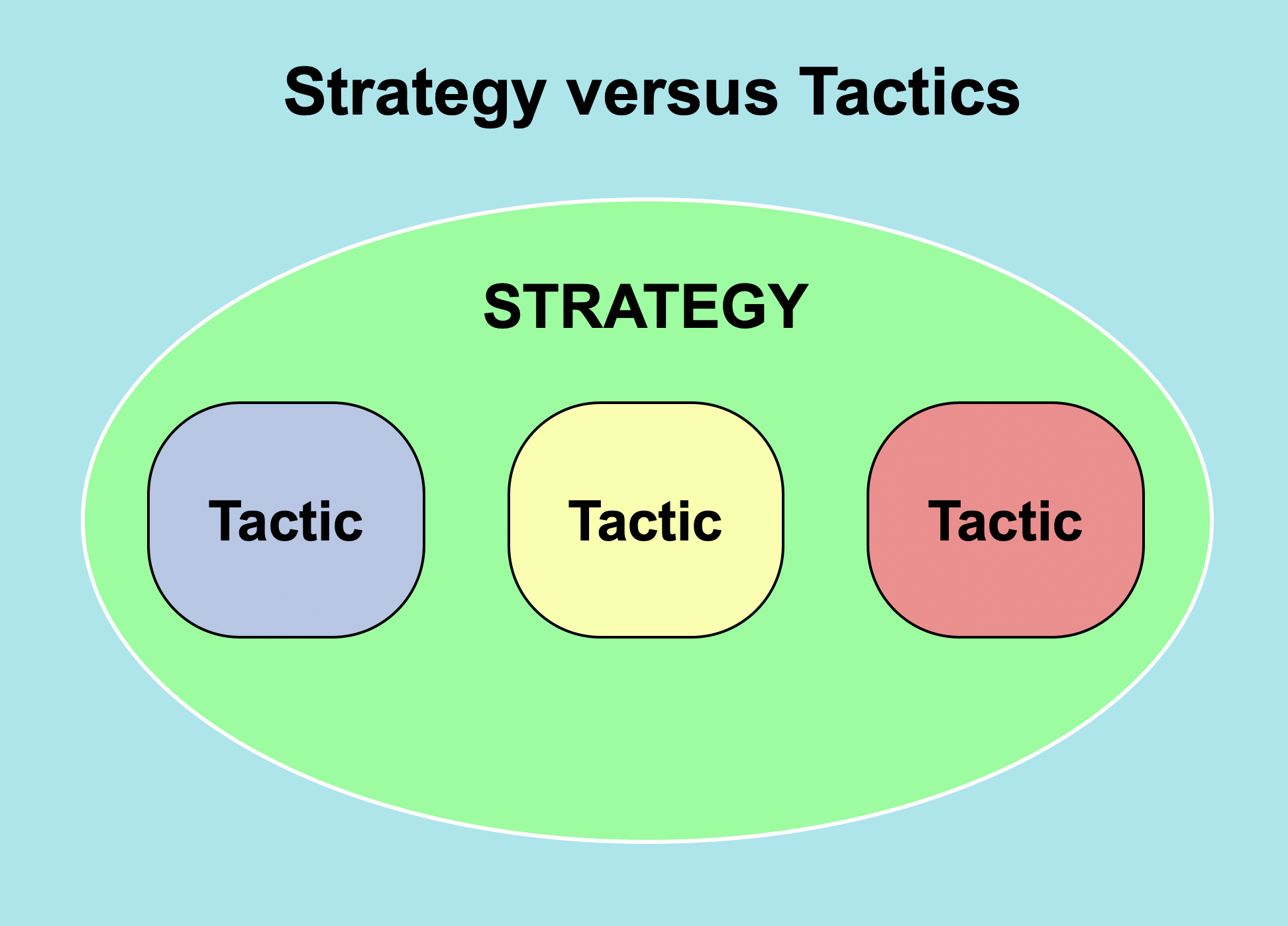
Sunday, February 7, 2021

Better Zoom meetings: the big picture (strategy)


In this pandemic year it seems everybody and his brother now is a Zoom ‘expert.’ Much advice just is tactics (specific tips), like an article by Mike Koenigs at Entrepreneur on April 24, 2020 titled 25 Ways to make your Zoom meetings awesome. Every now and then we glimpse the bigger picture and get strategies, like in another article by Mike Koenigs at Forbes Coaches Council on May 6, 2020 titled Avoid the Top Five mistakes people make in Zoom meetings, which advised they were:


Ignoring or failing to leverage technology

Failing to connect with your audience

Failing to represent your brand

Failing to optimize for modern attention spans

Failing to observe online etiquette


But there are some real, capital E – Experts who have analyzed online meetings. One is Nick Morgan, who in 2018 wrote a 288-page book titled Can You Hear Me? How to connect with people in a virtual world. A third article by Nick Morgan at his Public Words blog on October 28, 2020 discusses Three ways to make video conferencing more bearable, which I describe as follows:


The Rule of Predictability


Provide an agenda (link to it as the very first item in the chat) and have a Master of Ceremonies.


The Rule of Transparency


Begin by checking for local issues. People may be too polite to bring them up. Take a break in the middle of the meeting for some casual chat.


The Rule of Visibility   


Create a formal mechanism, like a hand raise, for passing the conversation to the next participant. At an in-person meeting you can see who is standing behind the lectern. 


The person who finishes speaking on Zoom could acknowledge being done with the TADA reaction.


A fourth article by Nick Morgan at his Public Words blog on November 24, 2020 titled Making video conferences work for you describes five more specific things to do:


Don’t hang back

Do give back

Don’t hold back

Do feed back

Don’t sit back

Ignore that advice and you may find that Zoom meetings are just modern seances.

Cartoons of speakers were adapted from those at Wikimedia Commons.  


Thursday, February 4, 2021

Better Zoom meetings: mute, video and chat problems


The Zoom virtual meetings software has controls for turning audio and video on or off, and a chat feature. All of these can be misused, as is discussed by Janani Sekar in an article at  Harvard Crimson on September 24, 2020 titled How to: Deal with Zoom disasters.


Speaking while you’re muted (but didn’t mean to be)


This is minor. You just unmute, say oops, and then say what you wanted to convey. “You’re still on mute” is a common cry at the online Toastmasters club meetings I attend. 


Speaking while you’re not muted (but meant to be)


This can be a major ‘hot mic’ downfall moment. There is an article at Snopes titled Did Uncle Don call kids ‘little b#st#rds’ on the air? describing a debunked urban legend about a radio host. Later something similar showed up in the 1957 movie A Face in the Crowd.


Video off when it should have been on


This is minor, and easily fixed.


Video on when it should have been off


This either could be minor or major. You can gross people out by picking your nose, using your camera as a makeup mirror, or full frontal nudity.


Video filter cat-astrophes (Updated February 9)


An article by Aaron Feis in the New York Post on February 9, 2021describes how a Zoom filter transforms lawyer into cat during court hearing.


Zoom chat


An article by Sarah Gershman at the Harvard Business Review on November 4, 2020 titled Yes, virtual presenting is weird explains how:


“The chat function is a great way to get immediate audience response. You could begin with a relevant question and ask people to type the answer in the chat. For example, you might ask everyone to write one thing they hope to learn from the presentation. The chat is especially helpful to introverts who may not want to speak up. Make sure to read aloud at least some of the answers (and use first names if you can). When you engage the audience immediately, you feel as though people are listening, which raises your confidence for the rest of the presentation.”


Zoom chat (with the wrong private person)


This might be minor. Just one person thinks you are creepy. But that person might also be creepy as in this 20-second video clip from Taxi Driver (with very bad language).


Zoom chat (with everyone instead of a private person)


This can be major, depending on what you inadvertently said.


Images of a cartoon monkey, microphone and webcam came from Wikimedia Commons. Cartoons of men with upset and horrified faces both came from the 1912 book The Cartoonist’s Art by J. Campbell Cory at the Internet Archive.


Tuesday, February 2, 2021

Better audio at Zoom meetings: microphones and speakers


Audio is an important part of a Zoom meeting. I am a member of two Toastmasters clubs, so I have gradually learned how to use Zoom. A voice goes through a microphone, computer, Zoom software, and a speaker before you hear it. Anthony English has a seven-minute YouTube  video titled Zoom Audio Test (step by step tutorial). 


Desktop computers typically used modest speakers like the 3” wide ones shown above. But laptops have even smaller, tinnier speakers that only provide half-decent quality. Consider using external speakers.


A laptop computer typically has a tiny electret microphone located above the top of the screen, next to the webcam. When you move back from the camera, you also move away from the microphone and then may not be heard clearly.


This problem can be solved by instead using a lavalier (lapel) microphone clipped to your shirt, as is shown above.


Or you can get a headset with a noise-cancelling microphone and headphones. For $30 I got a Logitech H390 USB headset (shown above). It has an eight foot cord, which gives me room to move around. There also are wireless headsets.     


Anyhow, what is a lavalier? I’d heard of musketeers and grenadiers, so a lavalier might be a fierce Hawaiian warrior who throws balls of lava. But lavalier really is a jewelry term for something hung around the neck. It is named for the mistress of the French King Louis XIV – Louise de la Vallière.


An image of John Kasich wearing a lavalier microphone, and icons for microphone and speaker all came from Wikimedia Commons.