Showing posts with label Zoom. Show all posts

Thursday, September 14, 2023

Don’t let a large Zoom meeting turn into a circus!


There is an article by Sarah Clendenon at the Idaho Dispatch on September 13, 2023 titled Idaho Water Resource Board Meeting Rescheduled After Zoom Debacle. They attempted a public Zoom meeting on September 6, 2023. Sarah describes what happened:


“It was immediately obvious there were potential problems. When joining online, all cameras and microphones defaulted to the ‘on’ position for every person joining the meeting. Typically in a public meeting of this kind, the moderator is knowledgeable in Zoom settings and can restrict participation to keep order.    


Problems did arise, nearly immediately. Rowdy and disruptive participants wrote inappropriate statements in the chat window, shouted out offensive language, took control of the presentation screen, drew inappropriate doodles over the presenter’s slides, and verbally heckled acting Chairman Marc Gibbs.


The staff of the IDWR was able to quickly shut down the chat feature, but did not mute participants, did not find a way to stop hijacking of the screen, and could not stop the disruptions.”


This problem is commonly referred to as Zoombombing, and it has a page at Wikipedia. The ZOOM Blog has a post on July 26, 2021 titled How to keep uninvited guests out of your Zoom meeting. The problem also has been discussed by universities. One example at Indiana University, by their University Information Technology Services, is a web page titled Prevent Zoombombing using Zoom privacy and security features.


The circus image was derived from a Barnum & Bailey poster at Wikimedia Commons.


Tuesday, April 12, 2022

Recent ideas from Microsoft on hybrid meeting room layouts


There is an interesting article by Arianne Cohen at Bloomberg on April 7, 2022 titled Swap in a triangle conference table for an ideal hybrid meeting. As shown above, it describes triangle or half-oval layouts (where everyone is visible on camera, and they aren’t clustered together like with the overfilled rectangular table at left).  


Four best practices are:


1] Keep the digital chat open; it’s often hidden on conference room screens. ‘Sometimes it’s a parallel meeting,’ says Baribault.

2] Cameras should focus on people’s faces and not on their bodies, the conference table, or empty chairs.

3] Conference room screens should be made bigger to show attendees along the bottom and the chat and workspace along the top.

4] No virtual backgrounds should be allowed; that artisanal wallpaper is distracting.


The first three are sensible. But I disagree with the fourth – a simple virtual background can be useful and not distracting. For Zoom meetings I use a laptop on a built-in desk at the end of a hallway diagonally opposite our kitchen. I use a simple virtual background to eliminate showing that distracting kitchen on one side. On May 8, 2021 I blogged about Creating wallpapers for Zoom virtual backgrounds.


An earlier article by Nicole Herskowitz at LinkedIn Pulse on February 1, 2022 is titled

‘On the same eye level’: reimagining the future of hybrid meetings. It begins:


“Last year my colleague Greg Baribault embarked on an ambitious journey. He saw the opportunity to build the hybrid meeting room experience of the future; a new kind of meeting space that bridges the gap between digital and physical workspaces.


His vision is becoming a reality with ‘front row’ for Microsoft Team Rooms. This new meeting layout moves the video gallery to the bottom of the screen so in-room participants can see remote colleagues face-to face across a horizontal plane – as if they are in the same room. It also brings relevant meeting content, like chat and a rostered view of raised hands, to the forefront so you can participate fully wherever you sit.”


Thursday, March 17, 2022

Two more magazine articles about hybrid meetings


On March 18, 2021 I blogged about A very interesting magazine article on how to conduct hybrid (live plus online) meetings. In that post I referred to an article in the March-April 2021 issue of NSA Speaker magazine. The January/February 2022 issue of NSA Speaker magazine has another article on pages 18 to 21 titled Hybrid May Be Here to Stay.


There also is an article by Bob Frisch and Cary Greene at Harvard Business Review on June 3, 2021 titled What it takes to run a great hybrid meeting. They mention the following eight best practices:

Up your audio game

Explore a technology boost

Consider video from the remote participant perspective

Make remote participants full sized

Test the technology in advance

Design meetings for all attendees

Provide strong facilitation

Give each remote participant an in-room ‘avatar’


I have been impressed by how Chris Frye runs hybrid meetings on Zoom as the Sergeant-at -Arms for the Pioneer Toastmasters club in Boise. As shown above, Chris uses two cameras: one following the speaker (aimed at the lectern), and another aimed at the audience. Each camera connects to Zoom via its own laptop.  I attended last night’s meeting online rather than in person. Initially the audio was fine, but then it dropped out. I immediately mentioned that on the chat, and Chris quickly got it back again.


The composite image of a Zoom meeting contains faces from page 29 of Cory J. Campbell’s 1912 book, The Cartoonist’s Art, in Which the First and Last Word is Spoken (at the Internet Archive), and a cartoon and audience photo from Wikimedia Commons.


Monday, December 20, 2021

A Sunday Dilbert cartoon about having a resting bored face (RBF)


Lack of nonverbal feedback, like a poker face (defined by the Merriam-Webster Dictionary as “an inscrutable face that reveals no hint of a person’s thoughts or feelings”) can confuse others. At ZOOM meetings you may have seen some like the four shown above. Yesterday’s Dilbert cartoon mentioned a specific subtype – the resting bored face (RBF):


Tina (the technical writer): I’m sorry. Is my description of the problem boring you?

Dilbert: What? No I’m totally engaged.

Dilbert: I just have a bad case of ‘Resting Bored Face’ or RBF for short.

Tina: So…no matter what I say you always look like that?

Dilbert: You make it sound like a bad thing.

Tina: You’re sucking the life force right out of my body!

Tina: I’d rather be dead than spend another second with you.

Wally: Can you teach me the RBF?

Dilbert: I’d love to. But I probably look like I wouldn’t.


On the other hand, overly expressive faces also can be confusing. Back on June 16, 2011I blogged about why you should Learn to ignore these audience behaviors.


The four faces were adapted from page 9 of Charles Lederer’s 1923 book, Cartooning Made Easy, at the Internet Archive.


Sunday, September 12, 2021

What goes wrong during video or audio calls, and the consequences – Zoom, gloom, and doom


I saw an article by Rachel Layne at CBS News on September 2021 titled Afraid a Zoom blunder will get you fired? 1 in 4 bosses have justified that fear, survey finds. It discussed an online survey done by Wakefield Research for Vyopta between July 30, 2021 and August 10, 2021. Detailed results are reported here. They conducted a survey with 15 questions on 200 U.S. executives (ranked VP or above) at companies with 500+ employees. That’s a relatively small sample, so the margin of error is about 6.9%. More commonly a sample size of 1000 would be used for a margin of error of 3.1%.


The fifth question was about which of the following had ever happened at your company due to technology or connection issues. As shown above in a bar chart, 75% had to reschedule a meeting, 41% had missed a project deadline, 32% had lost a client or business opportunity, and just 15% had none of the above (while 86% had any of the first three).   


The ninth question was about which of seven issues had ever happened due to problems with virtual connection technology. As shown above in a second bar chart, 50% had difficulty hearing or understanding a speaker, and 28% had been unable to record a call.


The seventh question was about which of the following had ever happened at your company as a result from staff member’s error during an audio or video call. Five answers, shown above in a third bar chart, were as follows: 53% moved responsibility for setting up calls to another staff member, 40% were given an informal reprimand, 38% were given a formal reprimand, 38% had removed a staff member from a project, and 24% had fired a staff member. The fired category also has been termed “zoom and doom.”


The image was adapted from this cartoon at Wikimedia Commons.


Sunday, June 27, 2021

Another Dilbert cartoon about Zoom backgrounds


On June 21, 2021 I blogged about a Dilbert Cartoon about Zoom Backgrounds. The next day, June 22, he had another cartoon titled Zoom Background Say A Lot with the following dialogue:


Dogbert: Your video call background needs improvement. I’ll fill your shelves with sports trophies, plus photos of you shaking hands with Jesus.

Dilbert: Who would believe I shook hands with Jesus?

Dogbert: The same people who believe you won lots of sports trophies.


The image of trophies was cropped from this image by Slayym at Wikimedia Commons.


Monday, June 21, 2021

Dilbert cartoon about Zoom backgrounds


Today’s Dilbert cartoon is titled Zoom Background Designer. The dialogue is as follows:

Dogbert: The background of your video calls says a lot about you. For example, it’s obvious you have no woman in your life, and your knickknacks suggest you are a latent serial killer.

Wally: Spookily accurate.

Dogbert: Exactly. That’s what we don’t want.


On March 20, 2016 I blogged about why you Don’t dress like a ninja when you are going to speak! A poorly chosen black or white background also can be awful, if your clothing matches it.

On May 8, 2021 I blogged about Creating wallpapers for Zoom virtual backgrounds.


The image of Vejigante masks on display in San Juan was adapted from one by the Eloquent Peasant at Wikimedia Commons.


Saturday, May 8, 2021

Creating wallpapers for Zoom virtual backgrounds


In Zoom it is possible to add a virtual background to replace the real one. You do not need to start with a  real green screen behind you. Where do you get backgrounds? Of course, Zoom has a web page about Zoom Virtual Backgrounds with links to a huge collection. I liked some at Wallpapers Wide, but a lot of them are distractingly busy.


Toastmasters International has a web page titled Toastmasters Zoom Virtual Background with a small assortment you can download as a zip file. A generic blue one is shown above, as is another which I recolored brown and titled for when I fill the Timer role in my club. That role is discussed in an article from the February 2021 Toastmaster magazine titled The Timer’s Toolkit. Why just blue or brown? The Timer might use green, yellow, and red backgrounds (downloaded at the Timer Zoom Backgrounds web page) in order to signal the speaker, so you should avoid those colors when you are not in that role. (I hold up timing cards rather than switch my background).


Where else can you find simple backgrounds? Get out your camera or phone and look around at home. As shown above, I used the asphalt street, the concrete sidewalk, a wooden bookcase, and a shirt. You can use a paint or photo editing program to recolor or adjust brightness and contrast.


You also can look around at a Creative Commons web site like Wikimedia Commons. I found a stone wall in Paris there, cropped it, and turned it gray. I found graph paper as well. I also found references there to an old book by Owen Jones titled The Grammar of Ornament, and downloaded the 1856 folio edition from the Internet Archive. When I perused his 112 color plates, I found a Pompeiian mosaic pattern on page 155 and an Arabian background on page 209. Then I used Photoshop Elements to crop and recolor them blue, and tiled them into wallpaper using Microsoft PowerPoint.   


Monday, March 22, 2021

A detailed report about how to do better at working online - like at Zoom meetings


There are a lot of articles about how to improve web (Zoom) meetings, webinars, and webcasts. Most just offer personal opinions. But I found one serious report which instead is based on actually surveying a lot of people at nonprofits and foundations, colleges and universities, and government agencies. The survey was done in July and August of 2020. A total of 4,405 people responded, 4,231 from North America.  


That 37-page report by Andy Goodman, dated October 2020 and basically an e-book, is titled Unmuted - What works, what doesn’t, and how we can all do better when working together online.*(*As told by the people going it every day). You can download it from the Goodman Center as a .pdf file.


Nine takeaways from it are:


Engagement and participation (The adventure begins here)

Inclusivity (Our virtual welcome mats need some work)

Leadership and Facilitation (Get training. Get some help. And get better at the basics)

Structure (More online time requires more attention to structure)

Length and Frequency (Shorter and fewer, please)

Preferred Platforms (It’s a Zoom world. We’re just working in it)

Personal Video Feeds (Q: Should I turn my camera on or off? A: Yes!)

Slides (Less text, more action, and always build)

Long-Term Trends (It ain’t over when it’s over)


Page 14 of the report identifies seven challenges to leading a successful online convening. They were rated on a scale from 1 = not challenging to 5 = extremely challenging. A bar chart shows those for web meetings (which includes Toastmasters club meetings).  

Several other questions from the survey had answers regarding frequency that ranged from 1 to 5 where 1 = Never, 2 = Rarely, 3 = Sometimes, 4 = Frequently, and 5 = Always. Results from these questions can be summarized by a Frequency Score calculated via a linear formula and reported on a scale from 1 to 5 as follows:

Frequency Score = [1*(Never %) +  2*(Rarely %) + 3*(Sometimes %) 

  + 4*(Frequently %) + 5*(Always %)]/100     


A bar chart shows the Frequency Scores. For most questions those scores were between 3 (Sometimes) and 4 (Frequently). The exception was a 2 (Rarely) for how often leaders or facilitators created greater accessibility.   


Note that a Frequency Score is like a mean or median. It describes the average but not how much variability (how wide a range) is present. As shown above for one question via a table, it is possible to create hypothetical examples with the same Score but different ranges.  


On March 8, 2021 I blogged about a 2006 e-book by Andy Goodman in a post titled A 2005 online survey of 16 problems that can affect presentations found the speaker being too nervous ranked last for both harmfulness and frequency.


Thursday, March 18, 2021

A very interesting magazine article on how to conduct hybrid (live plus online) meetings

Pages 22 to 25 of the March-April 2021 issue of Speaker magazine (published by the U.S. National Speakers Association) contain an article by Dave Bricker titled How to Do Hybrid Meetings (and subtitled Combining Stagecraft and Screencraft So Both Audiences Benefit). You also can view (and keyword search) the archive of their recent magazine issues here.


Sunday, February 7, 2021

Better Zoom meetings: the big picture (strategy)


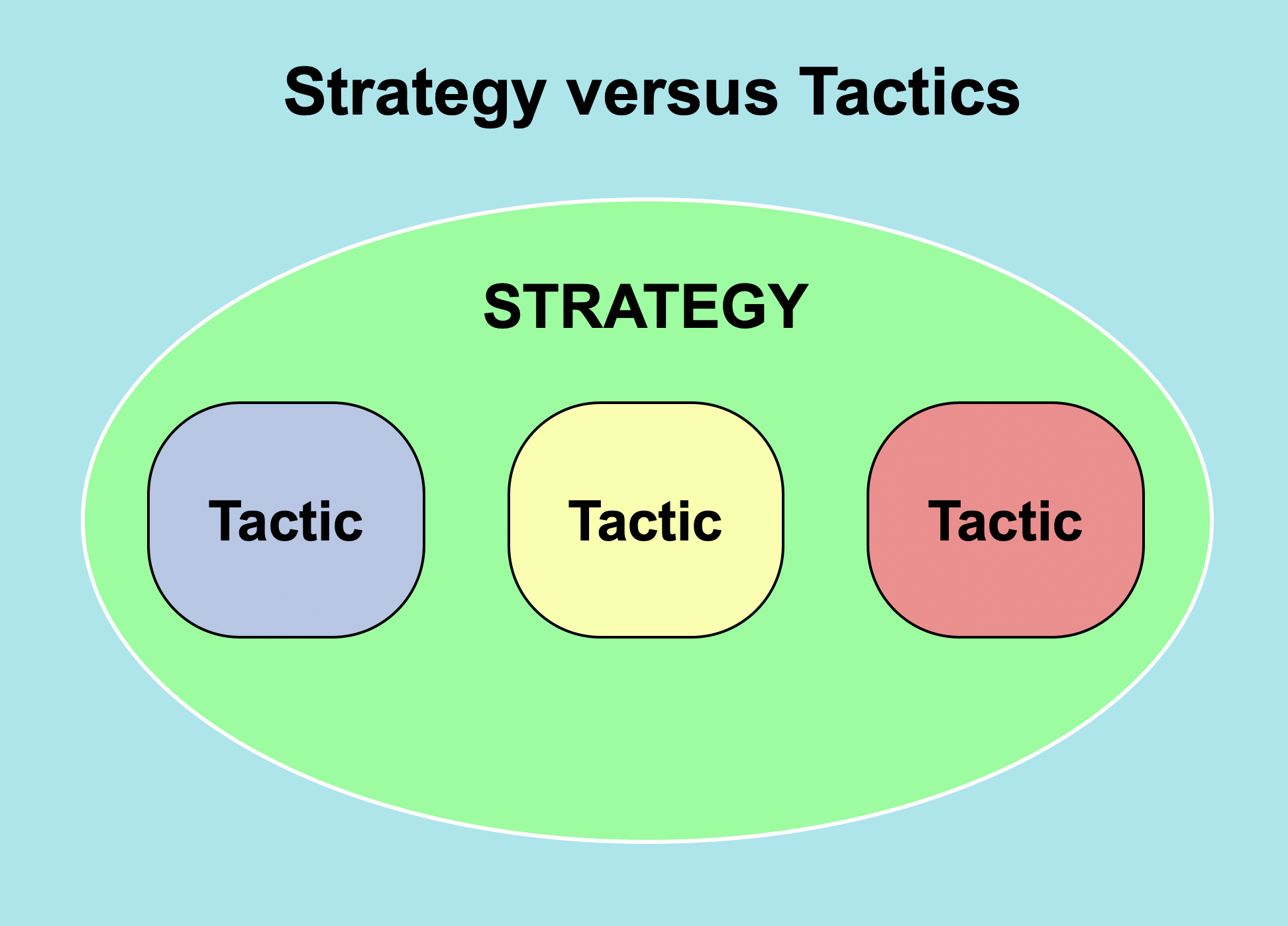
In this pandemic year it seems everybody and his brother now is a Zoom ‘expert.’ Much advice just is tactics (specific tips), like an article by Mike Koenigs at Entrepreneur on April 24, 2020 titled 25 Ways to make your Zoom meetings awesome. Every now and then we glimpse the bigger picture and get strategies, like in another article by Mike Koenigs at Forbes Coaches Council on May 6, 2020 titled Avoid the Top Five mistakes people make in Zoom meetings, which advised they were:


Ignoring or failing to leverage technology

Failing to connect with your audience

Failing to represent your brand

Failing to optimize for modern attention spans

Failing to observe online etiquette


But there are some real, capital E – Experts who have analyzed online meetings. One is Nick Morgan, who in 2018 wrote a 288-page book titled Can You Hear Me? How to connect with people in a virtual world. A third article by Nick Morgan at his Public Words blog on October 28, 2020 discusses Three ways to make video conferencing more bearable, which I describe as follows:


The Rule of Predictability


Provide an agenda (link to it as the very first item in the chat) and have a Master of Ceremonies.


The Rule of Transparency


Begin by checking for local issues. People may be too polite to bring them up. Take a break in the middle of the meeting for some casual chat.


The Rule of Visibility   


Create a formal mechanism, like a hand raise, for passing the conversation to the next participant. At an in-person meeting you can see who is standing behind the lectern. 


The person who finishes speaking on Zoom could acknowledge being done with the TADA reaction.


A fourth article by Nick Morgan at his Public Words blog on November 24, 2020 titled Making video conferences work for you describes five more specific things to do:


Don’t hang back

Do give back

Don’t hold back

Do feed back

Don’t sit back

Ignore that advice and you may find that Zoom meetings are just modern seances.

Cartoons of speakers were adapted from those at Wikimedia Commons.  


Thursday, February 4, 2021

Better Zoom meetings: mute, video and chat problems


The Zoom virtual meetings software has controls for turning audio and video on or off, and a chat feature. All of these can be misused, as is discussed by Janani Sekar in an article at  Harvard Crimson on September 24, 2020 titled How to: Deal with Zoom disasters.


Speaking while you’re muted (but didn’t mean to be)


This is minor. You just unmute, say oops, and then say what you wanted to convey. “You’re still on mute” is a common cry at the online Toastmasters club meetings I attend. 


Speaking while you’re not muted (but meant to be)


This can be a major ‘hot mic’ downfall moment. There is an article at Snopes titled Did Uncle Don call kids ‘little b#st#rds’ on the air? describing a debunked urban legend about a radio host. Later something similar showed up in the 1957 movie A Face in the Crowd.


Video off when it should have been on


This is minor, and easily fixed.


Video on when it should have been off


This either could be minor or major. You can gross people out by picking your nose, using your camera as a makeup mirror, or full frontal nudity.


Video filter cat-astrophes (Updated February 9)


An article by Aaron Feis in the New York Post on February 9, 2021describes how a Zoom filter transforms lawyer into cat during court hearing.


Zoom chat


An article by Sarah Gershman at the Harvard Business Review on November 4, 2020 titled Yes, virtual presenting is weird explains how:


“The chat function is a great way to get immediate audience response. You could begin with a relevant question and ask people to type the answer in the chat. For example, you might ask everyone to write one thing they hope to learn from the presentation. The chat is especially helpful to introverts who may not want to speak up. Make sure to read aloud at least some of the answers (and use first names if you can). When you engage the audience immediately, you feel as though people are listening, which raises your confidence for the rest of the presentation.”


Zoom chat (with the wrong private person)


This might be minor. Just one person thinks you are creepy. But that person might also be creepy as in this 20-second video clip from Taxi Driver (with very bad language).


Zoom chat (with everyone instead of a private person)


This can be major, depending on what you inadvertently said.


Images of a cartoon monkey, microphone and webcam came from Wikimedia Commons. Cartoons of men with upset and horrified faces both came from the 1912 book The Cartoonist’s Art by J. Campbell Cory at the Internet Archive.


Tuesday, February 2, 2021

Better audio at Zoom meetings: microphones and speakers


Audio is an important part of a Zoom meeting. I am a member of two Toastmasters clubs, so I have gradually learned how to use Zoom. A voice goes through a microphone, computer, Zoom software, and a speaker before you hear it. Anthony English has a seven-minute YouTube  video titled Zoom Audio Test (step by step tutorial). 


Desktop computers typically used modest speakers like the 3” wide ones shown above. But laptops have even smaller, tinnier speakers that only provide half-decent quality. Consider using external speakers.


A laptop computer typically has a tiny electret microphone located above the top of the screen, next to the webcam. When you move back from the camera, you also move away from the microphone and then may not be heard clearly.


This problem can be solved by instead using a lavalier (lapel) microphone clipped to your shirt, as is shown above.


Or you can get a headset with a noise-cancelling microphone and headphones. For $30 I got a Logitech H390 USB headset (shown above). It has an eight foot cord, which gives me room to move around. There also are wireless headsets.     


Anyhow, what is a lavalier? I’d heard of musketeers and grenadiers, so a lavalier might be a fierce Hawaiian warrior who throws balls of lava. But lavalier really is a jewelry term for something hung around the neck. It is named for the mistress of the French King Louis XIV – Louise de la Vallière.


An image of John Kasich wearing a lavalier microphone, and icons for microphone and speaker all came from Wikimedia Commons.